Siteimprove
Checking Website Accessibility with Siteimprove
UCI websites are part of the everyday experience of employees, students, and community members. Given the importance of these sites, it is vital for them to be accessible for people with disabilities.
Accessible websites are designed well for everyone and comply with UC policy. Images with tags identifying their content make pages easier to understand even if the pictures don't load. Videos with captions allow people to view them in loud environments. Webpages with headings make site navigation easier.
Siteimprove is a cloud service that enables you to systematically review your sites for accessibility. Sites are crawled on a regular basis – every five days – and reports identifying accessibility errors and how to fix them are issued to the site owner.
Getting Started
UC has a systemwide contract with Siteimprove that provides for unlimited users and allows an unlimited number of pages to be scanned. To get a Siteimprove account and start scanning your site(s):
-
First, ask everyone who will need access to your reports to login to Siteimprove to create an individual user account. The UC account uses single sign-on.
-
Next, send an email to OIT with the url(s) of the site(s) you would like to have scanned by Siteimprove, and the users who need access.
-
You will receive an email when your site(s) have been scanned, and the next time you login, you'll see your dashboard.
For more information, watch the Siteimprove User Training.
There's also a helpful starting page just for UC site admins.
* Note: Siteimprove monitors UC public sites only. To test password-protected sites, use the Siteimprove Chrome extension.
Ways to Increase Website Accessibility with Siteimprove:
- Check your WCAG 2.1 level A and AA scores: Review your accessibility scores and determine if and how you need to address any accessibility barriers.
- Improve your WCAG 2.1 level A and AA scores: View the Issues page in the Accessibility dashboard. Use the sorting features to sort by conformance, difficulty, responsibility, points you can gain and more to prioritize fixes.
- Maintain accessibility: As you continue to update your site, set up a bi-weekly or monthly schedule to check your site scores and confirm that your sites are accessible to all audiences.
How to Access Siteimprove Learning Hub
Siteimprove Learning Hub is free for everyone with a UCInetID and has multiple courses about digital accessibility. Follow the steps below to access Siteimprove Learning Hub. Opening a ticket with the OIT is not necessary to access Siteimprove Learning Hub.
First-Time Accessing Siteimprove Learning Hub
- Create a Siteimprove account by going to the UCI Office of Information Technology’s (OIT) Siteimprove page and selecting “Log in to Siteimprove.”
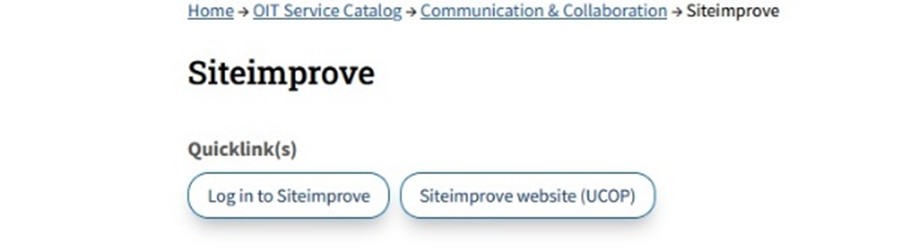
- Select “University of California, Irvine” as your campus.
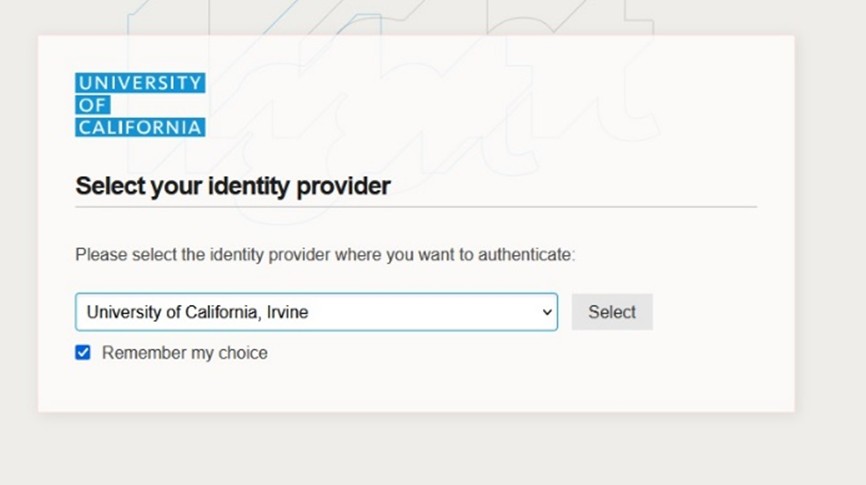
- Enter your UCInetID and password.
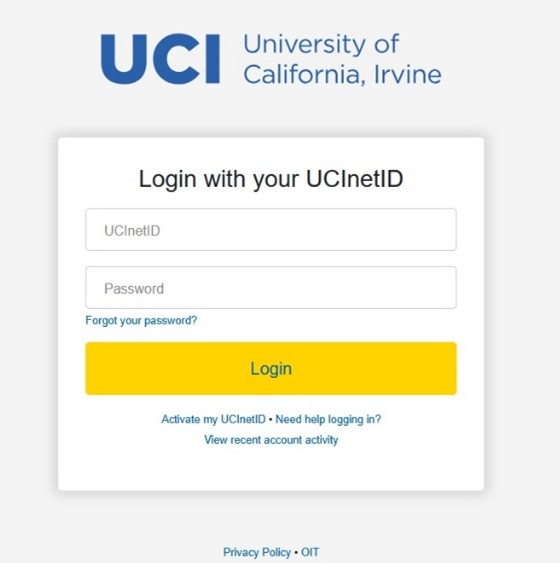
- Review and accept Siteimprove’s Terms and Conditions.
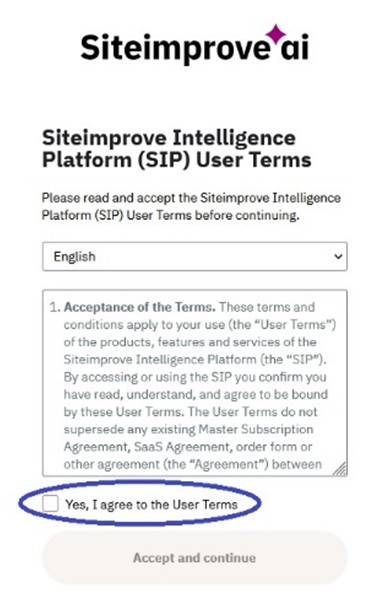
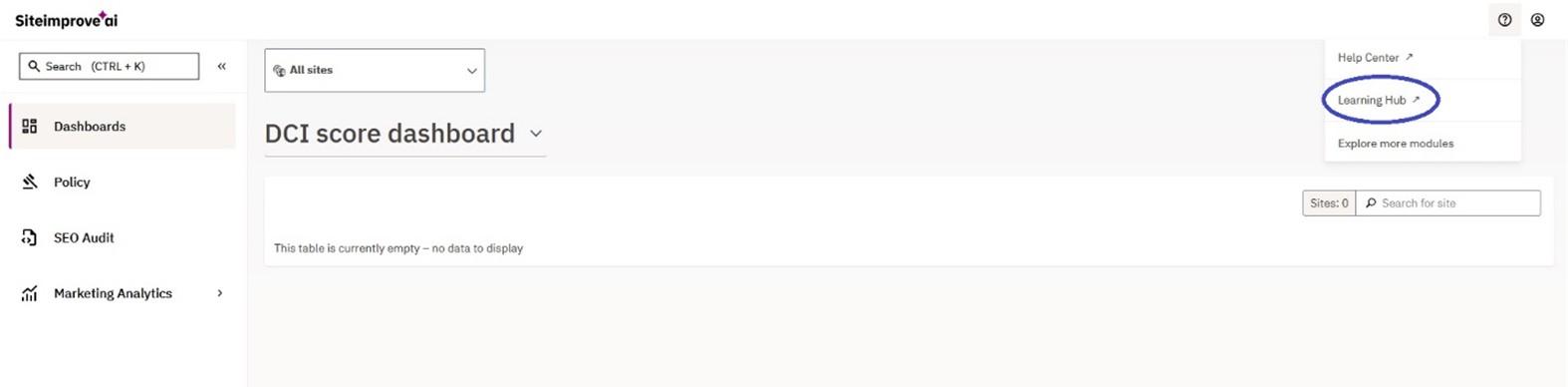
- The Siteimprove main page appears. Click on the question mark at the top right and select “Learning Hub.”
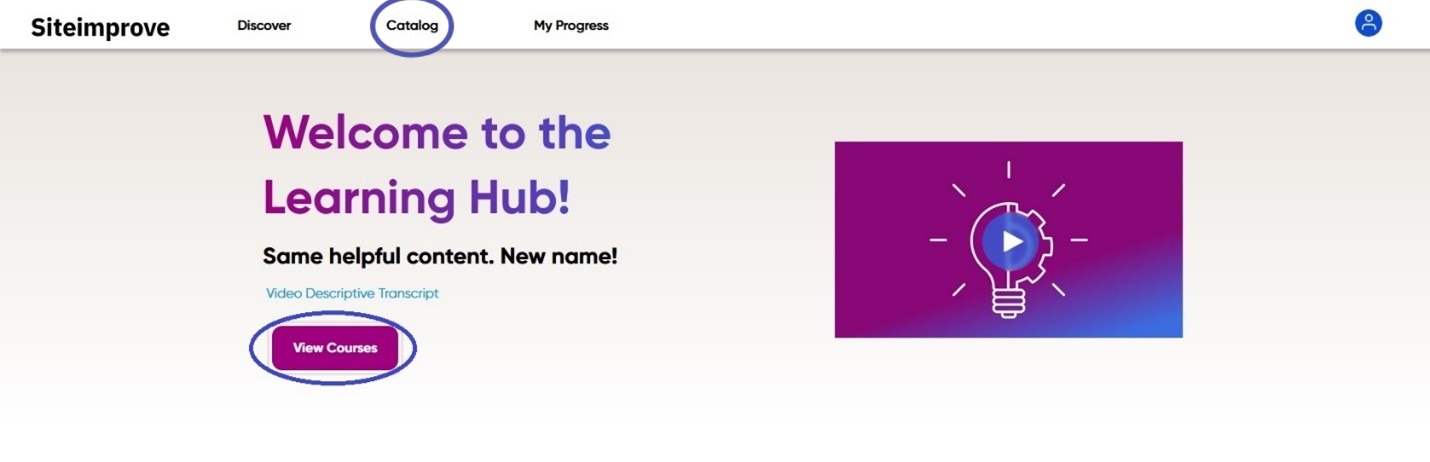
- The Siteimprove Learning Hub homepage appears. Select "Catalog" or “View courses.”
- Select the “Accessibility” box in the left column.
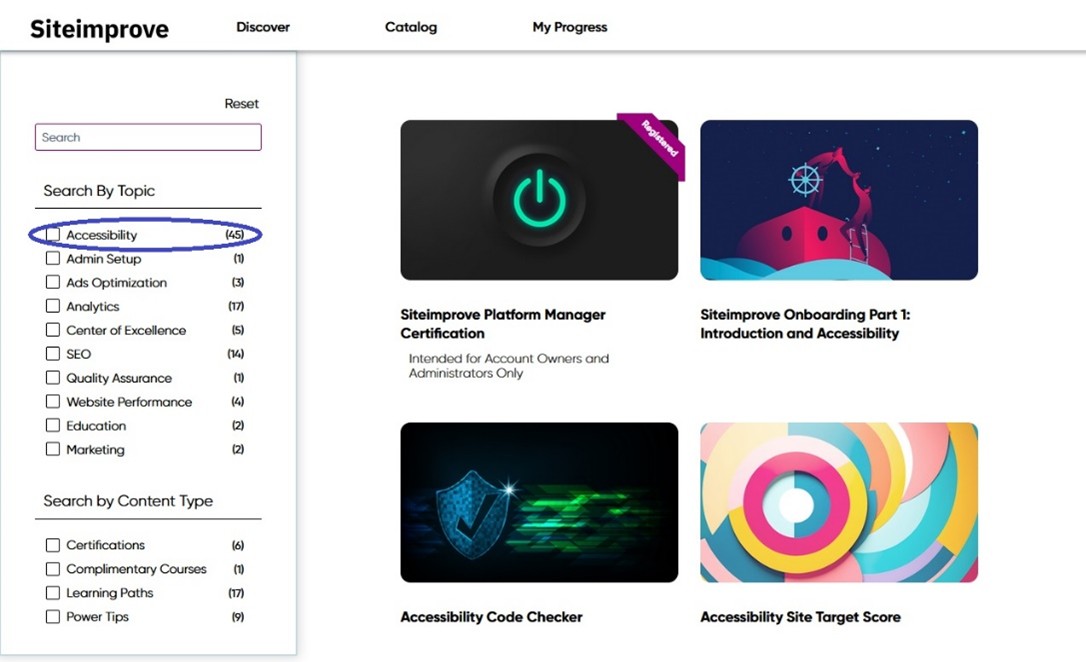
- Select the course of your choosing and “Start” when you are ready!